
Open up your Outlook app
Click on File in the top left corner

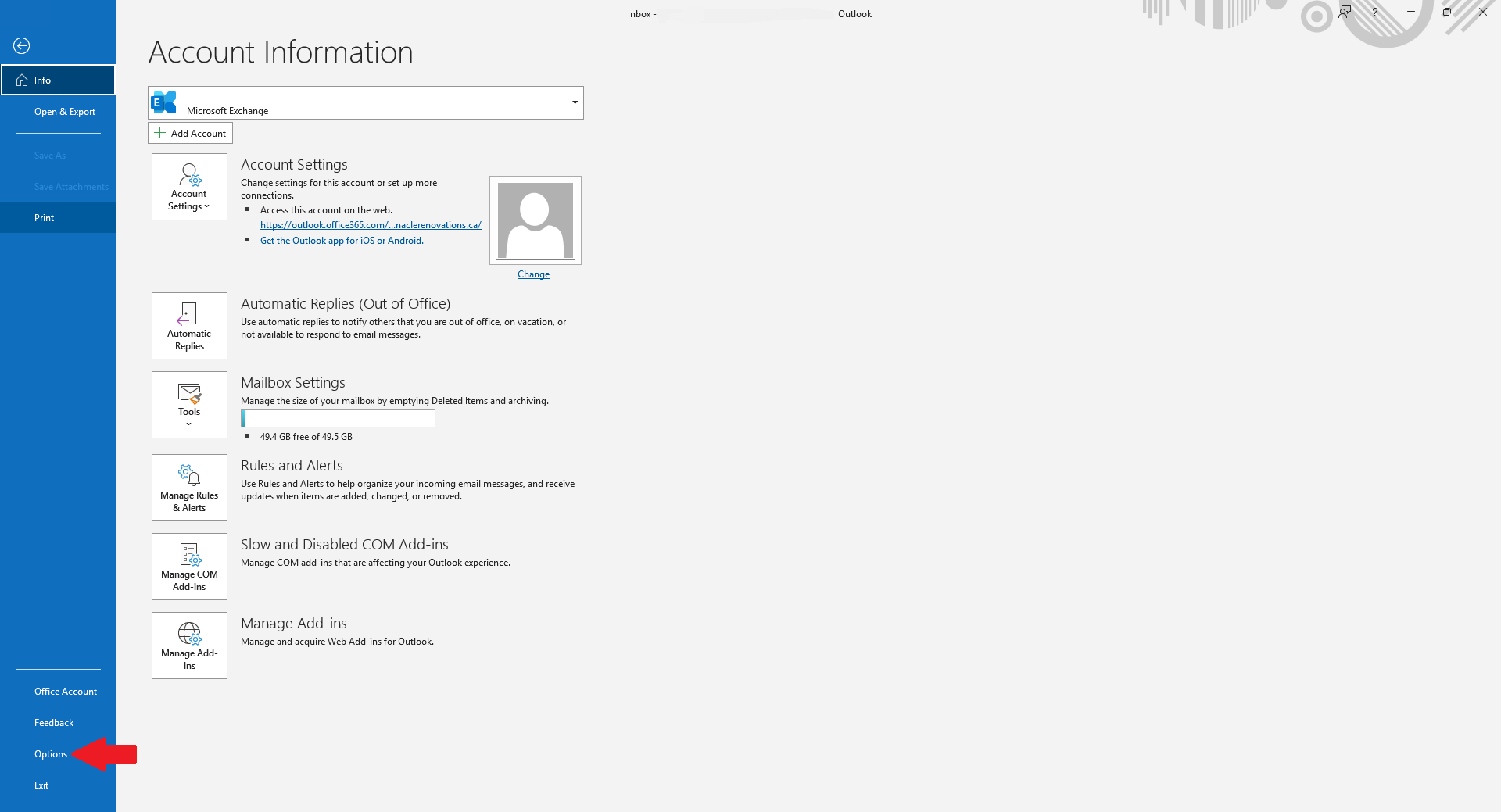
Click on Option on the left
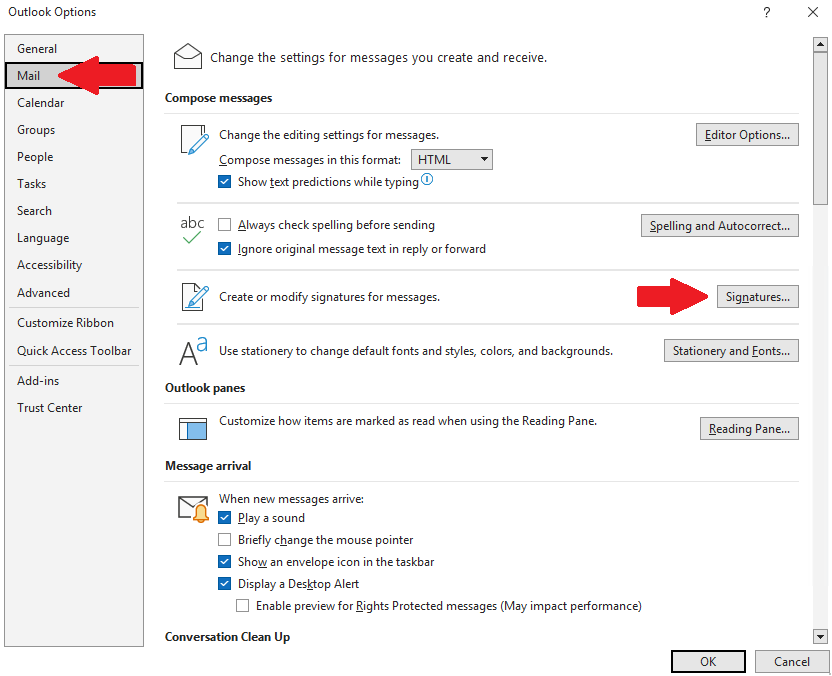
Click on Mail on the left column and then Signatures button on the right
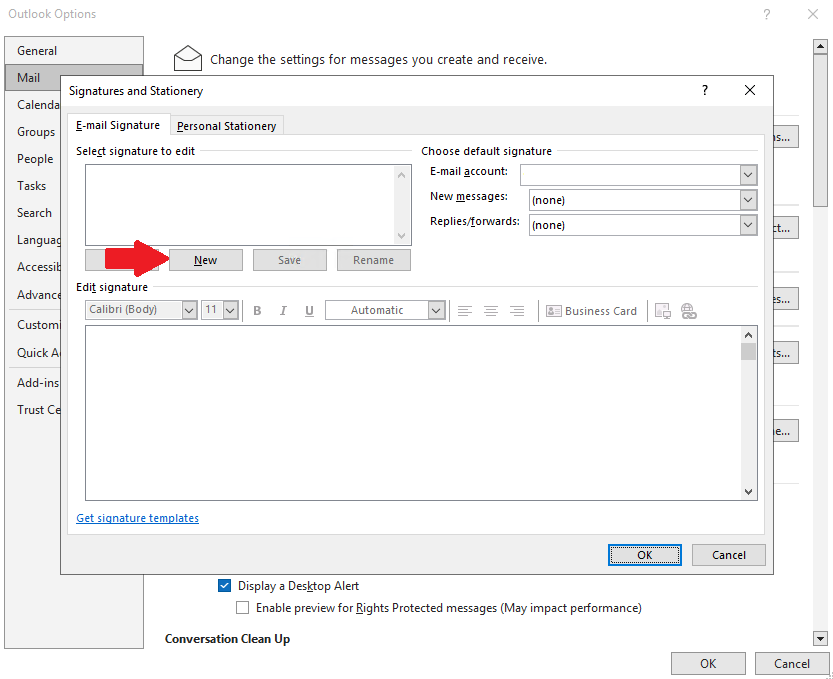
Click New
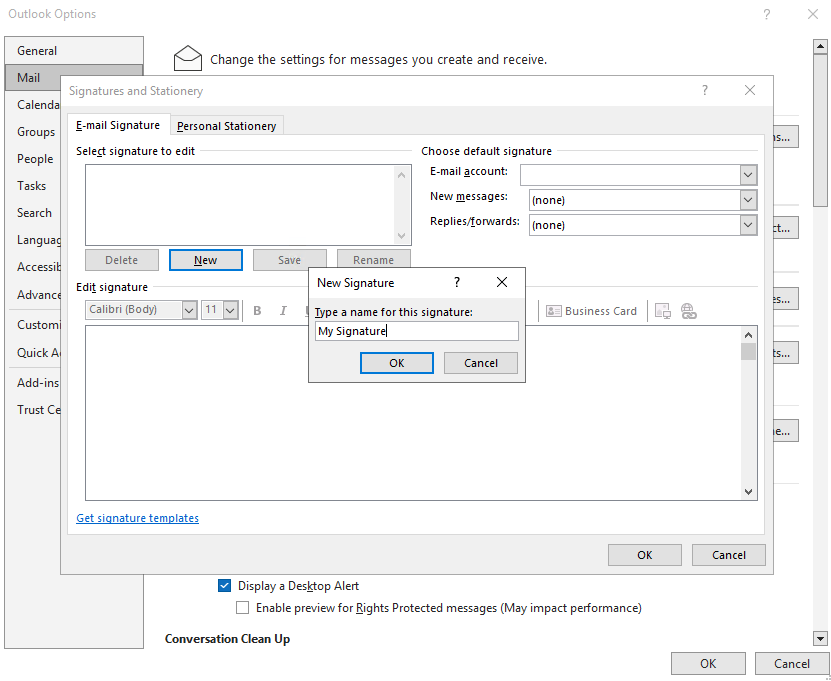
Type a name for this Signature to label it and click OK
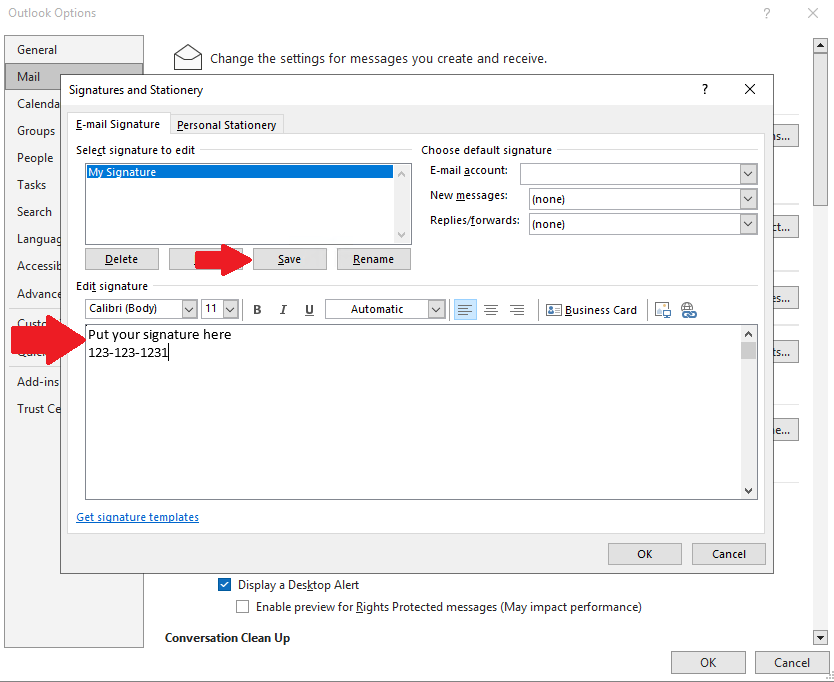
Click in the Edit signature box and type in the signature you want and then click save.
On the right for signatures you want to then mark the signature for New messages and Replies/forwards. Then click OK
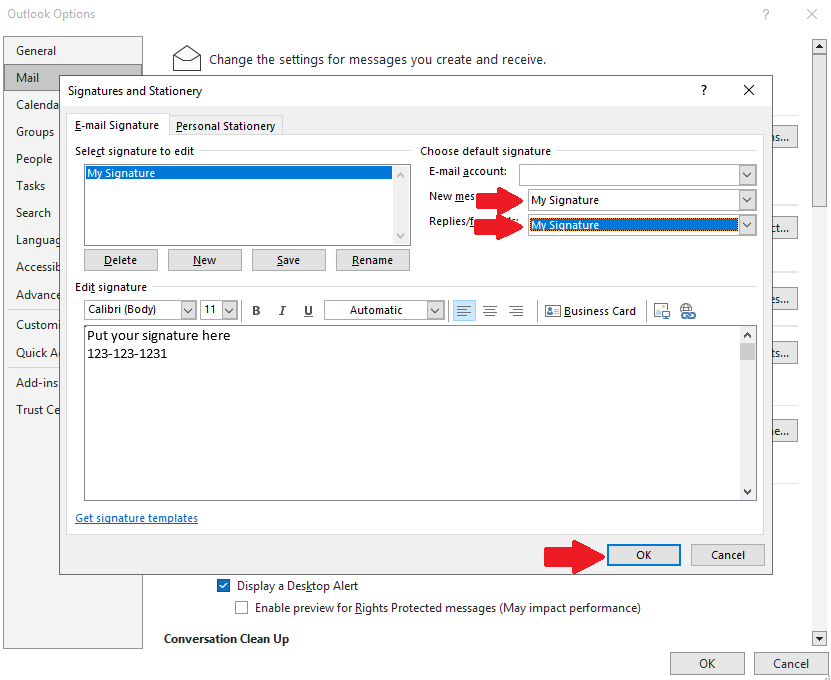
Click OK