Please only do this if tech support is requesting remote access to your computer for troubleshooting.
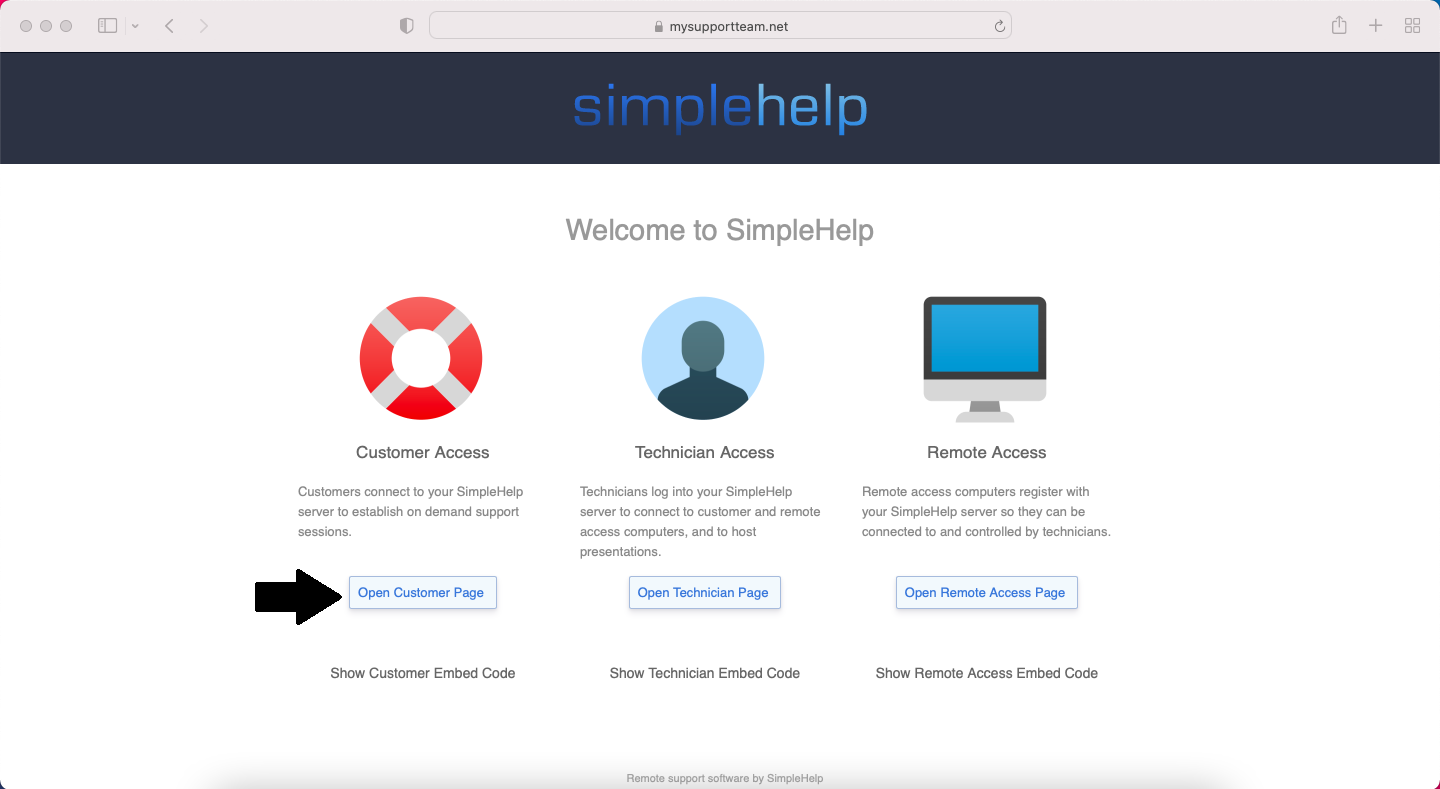
Please visit the website https://www.mysupportteam.net
Click on the Open Customer Page button
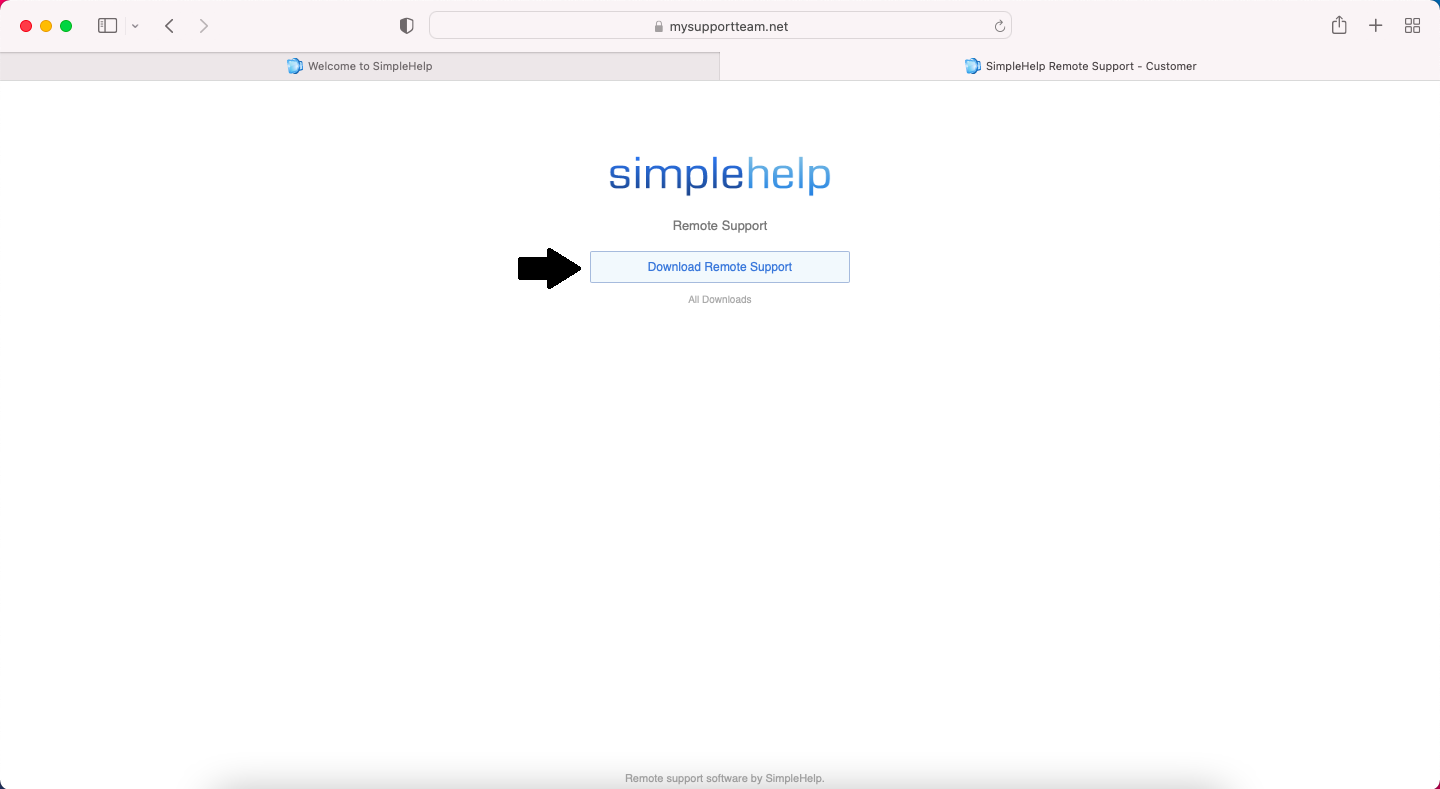
Click on the Download Remote Support button
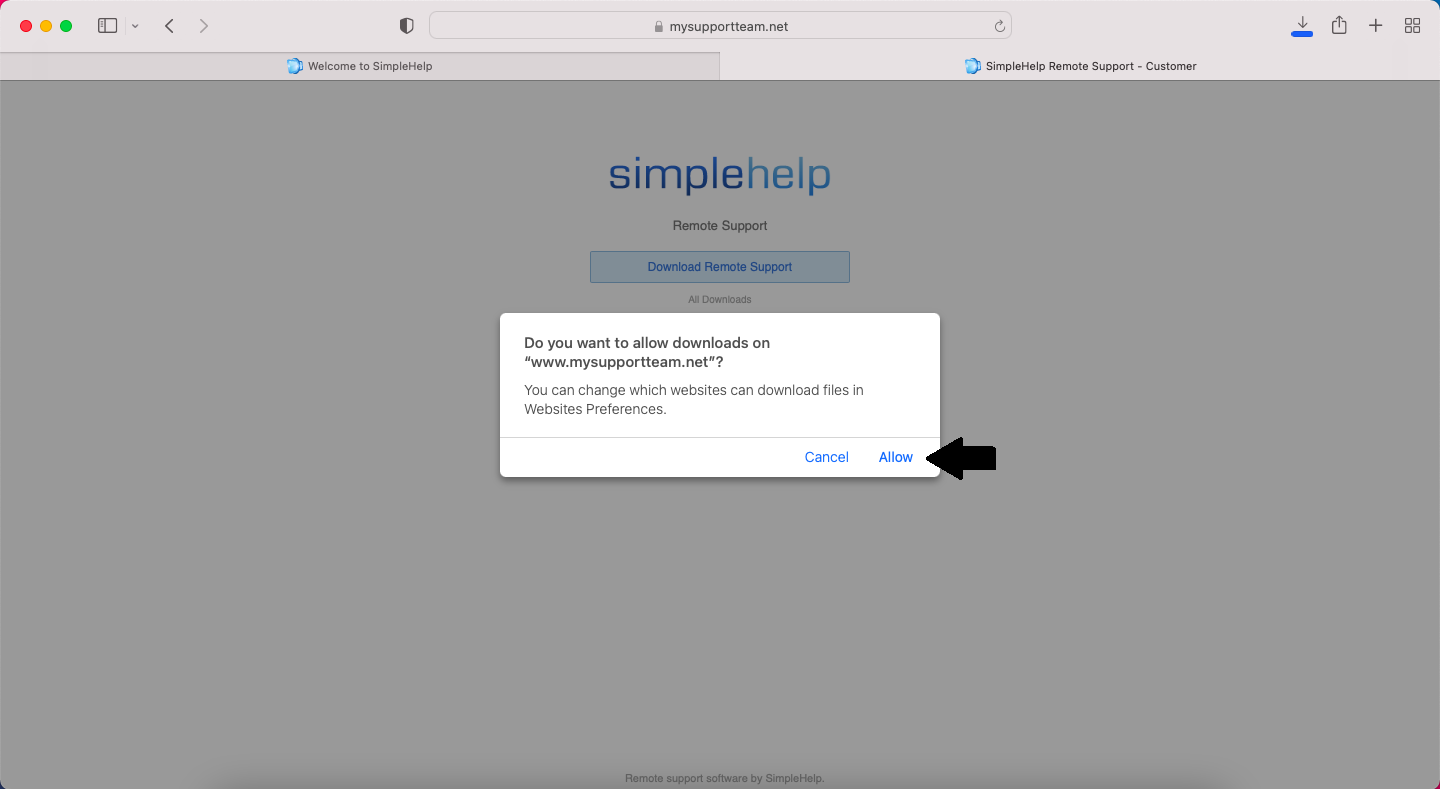
Click on Allow if you are asked if you want to download.
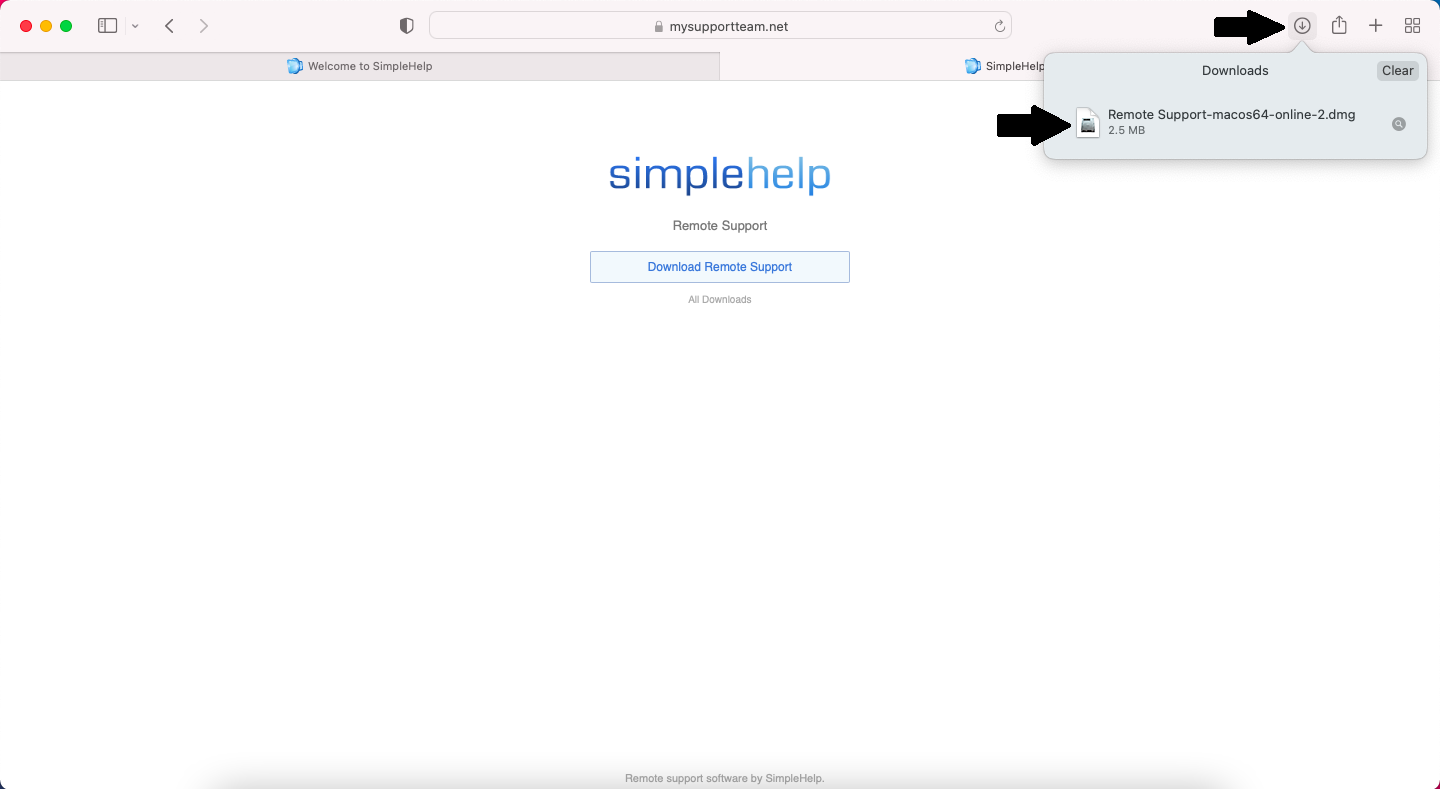
If using Safari browser open your download by clicking the download button in the top right and then clicking on your download to open it.
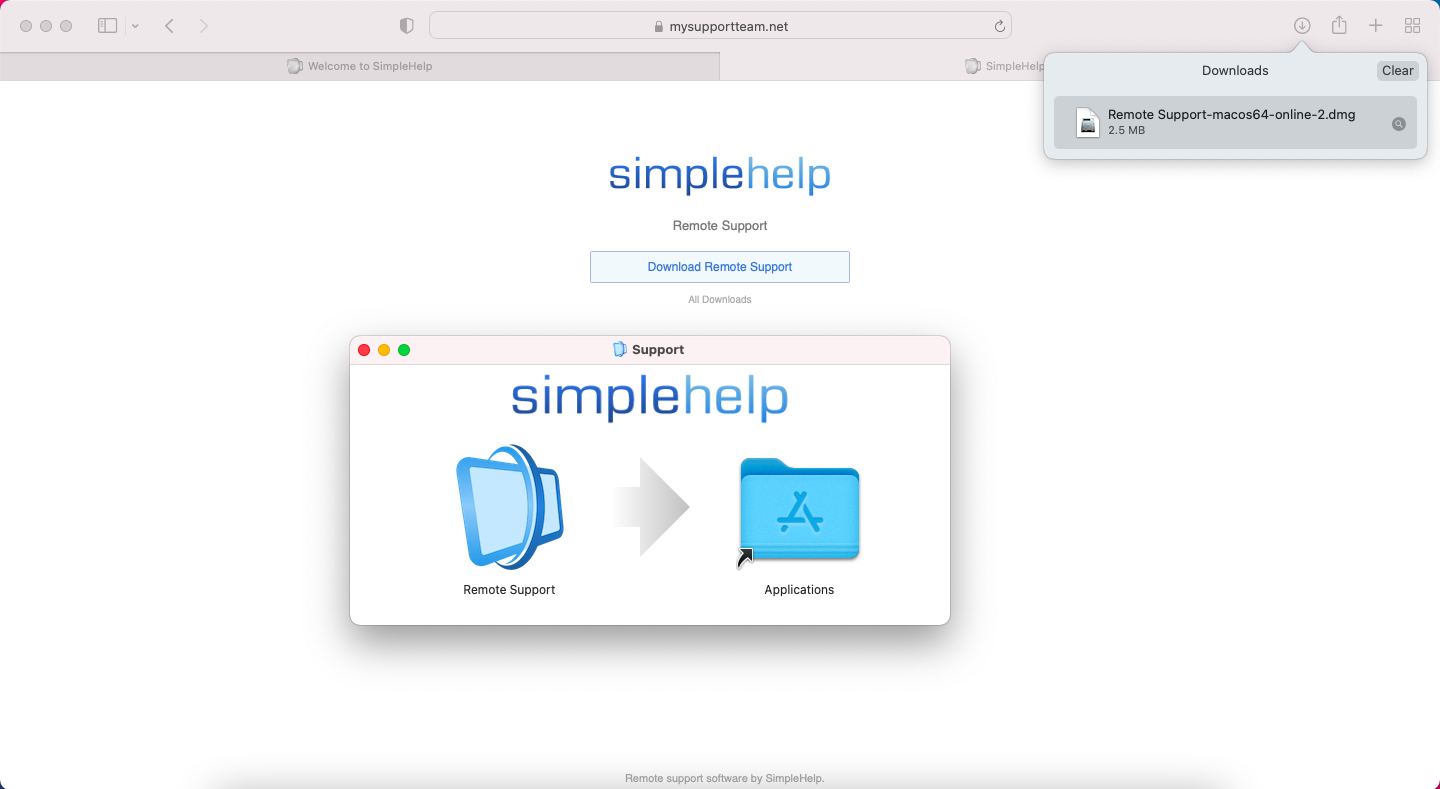
Drag and drop the Remote Support icon over the Applications icon
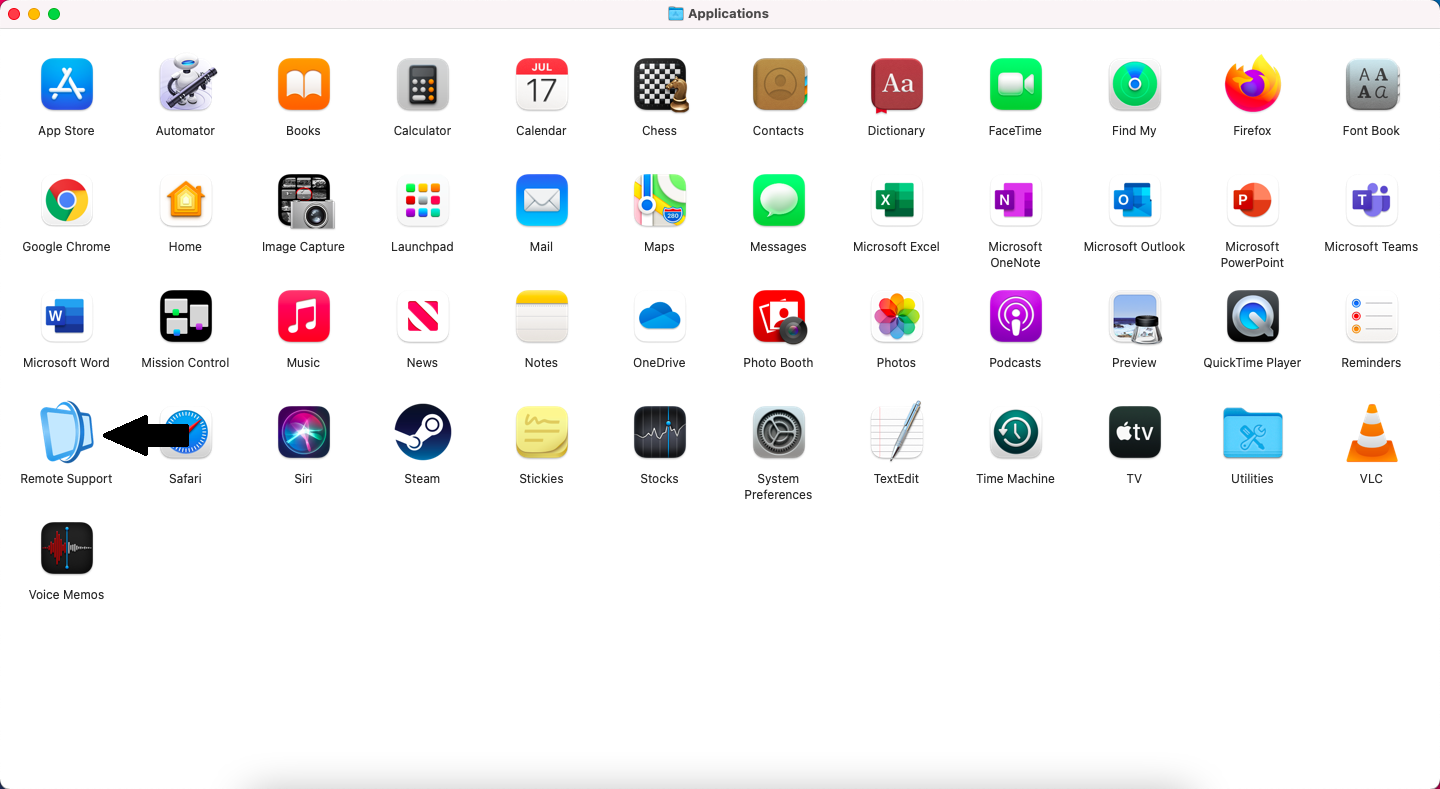
In your Applications folder double click on the Remote Support icon
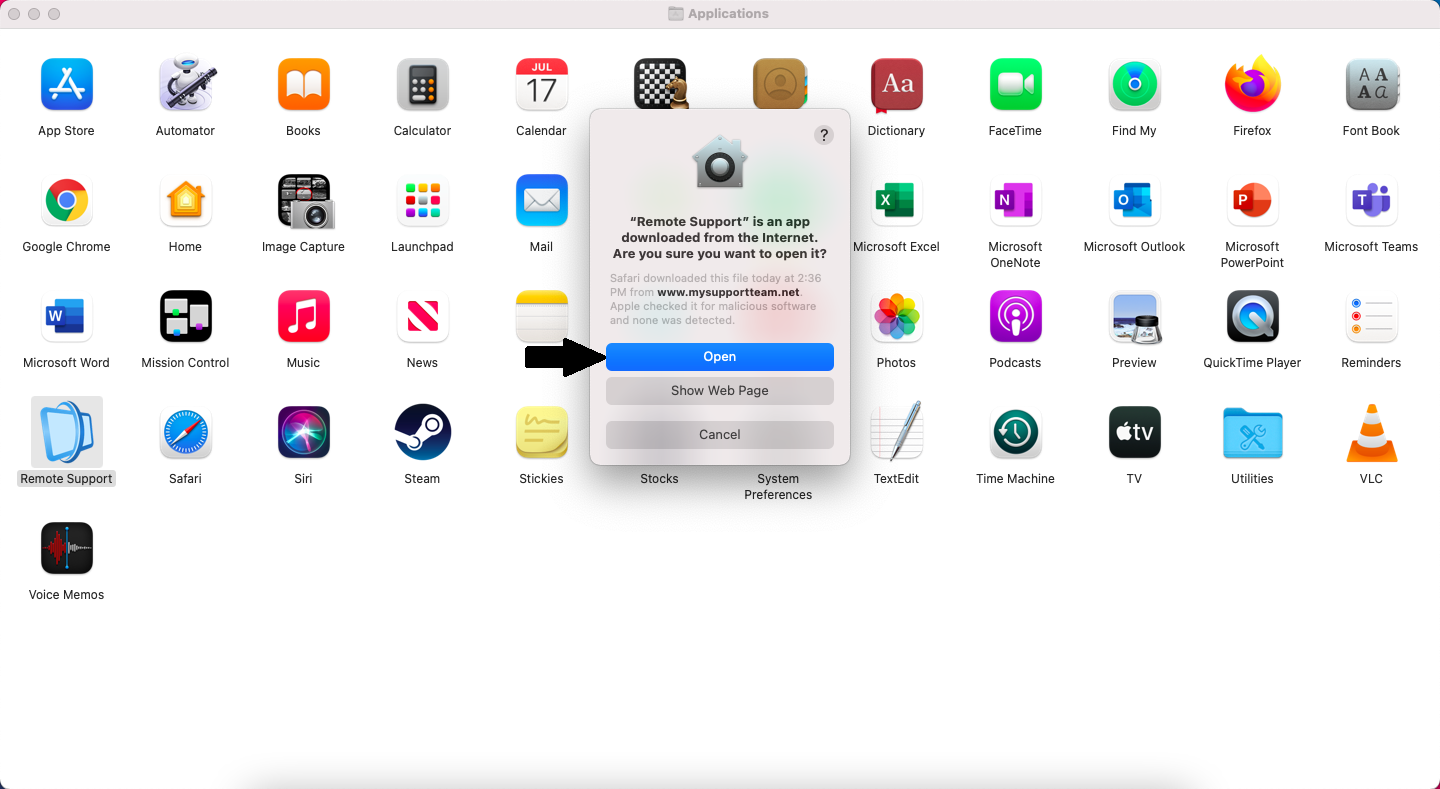
Click Open
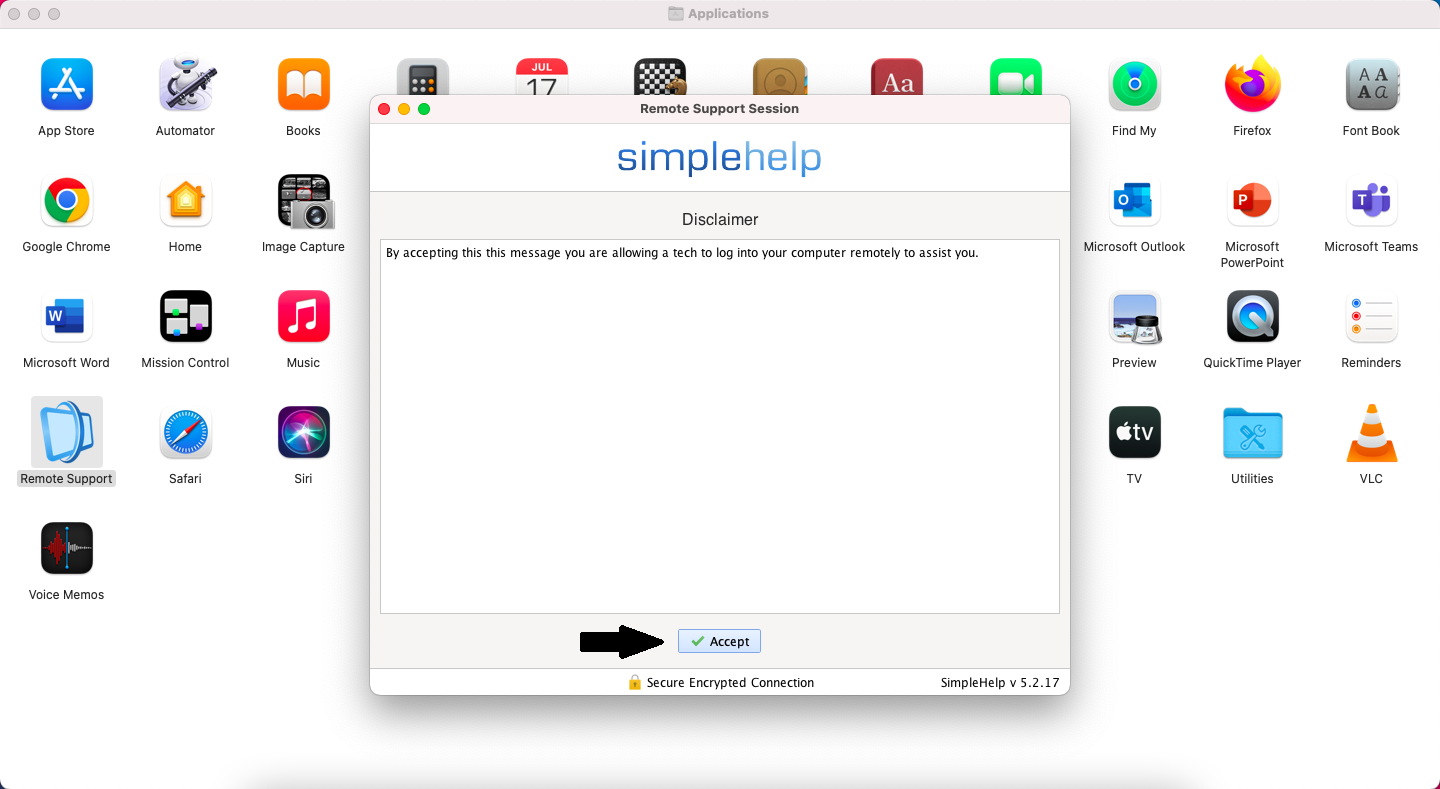
Click Accept
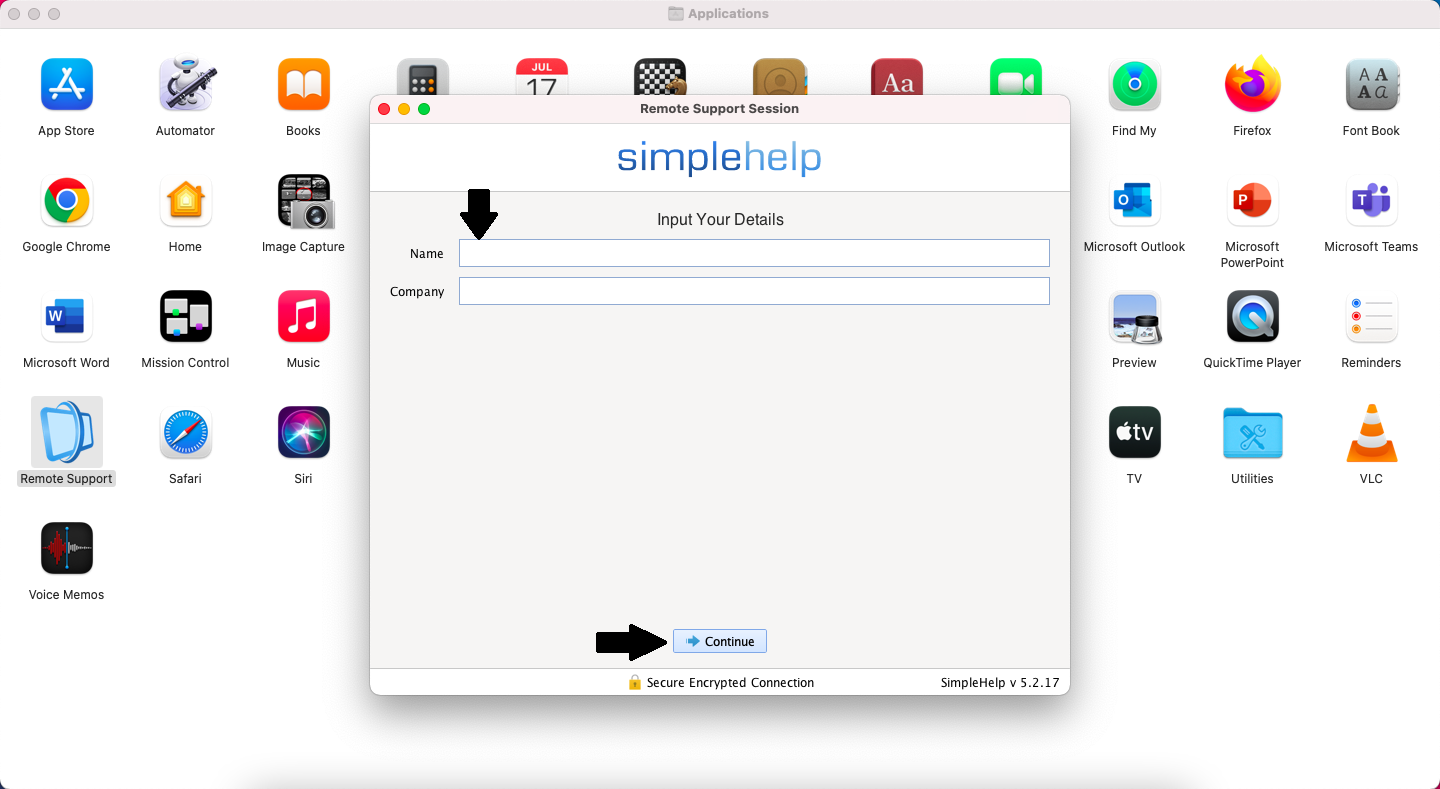
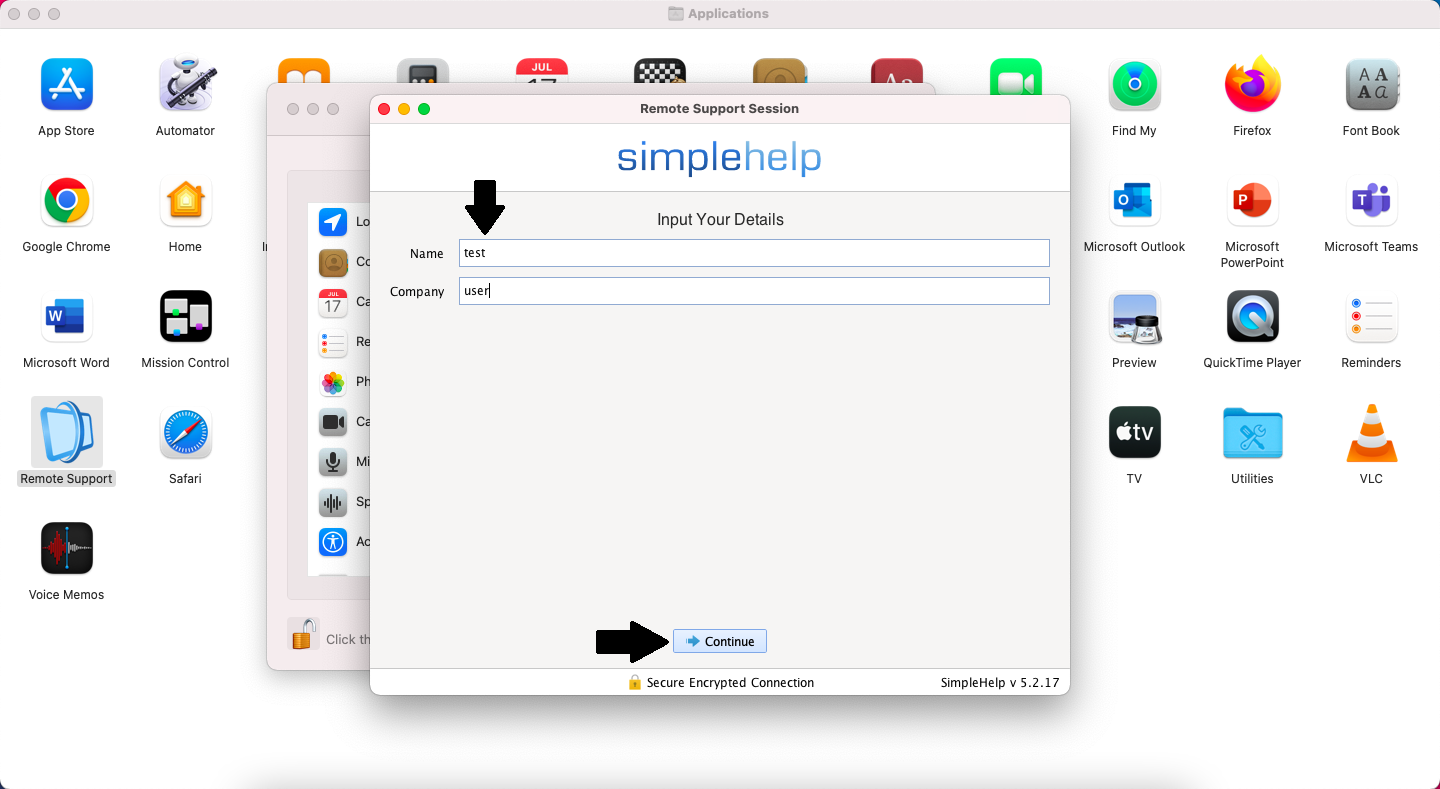
Type in your Name. You can also type in a Company name but that is optional.
Click Continue
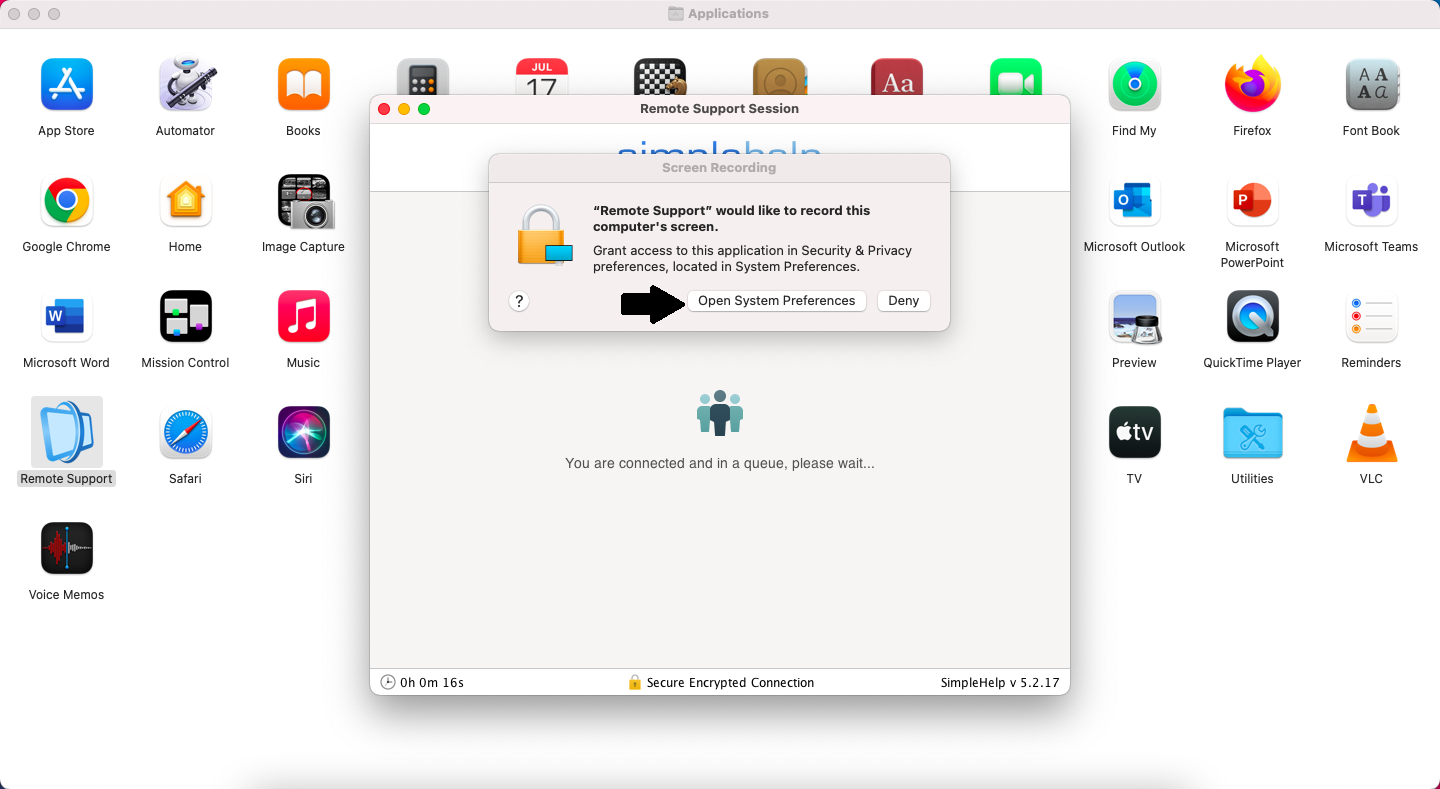
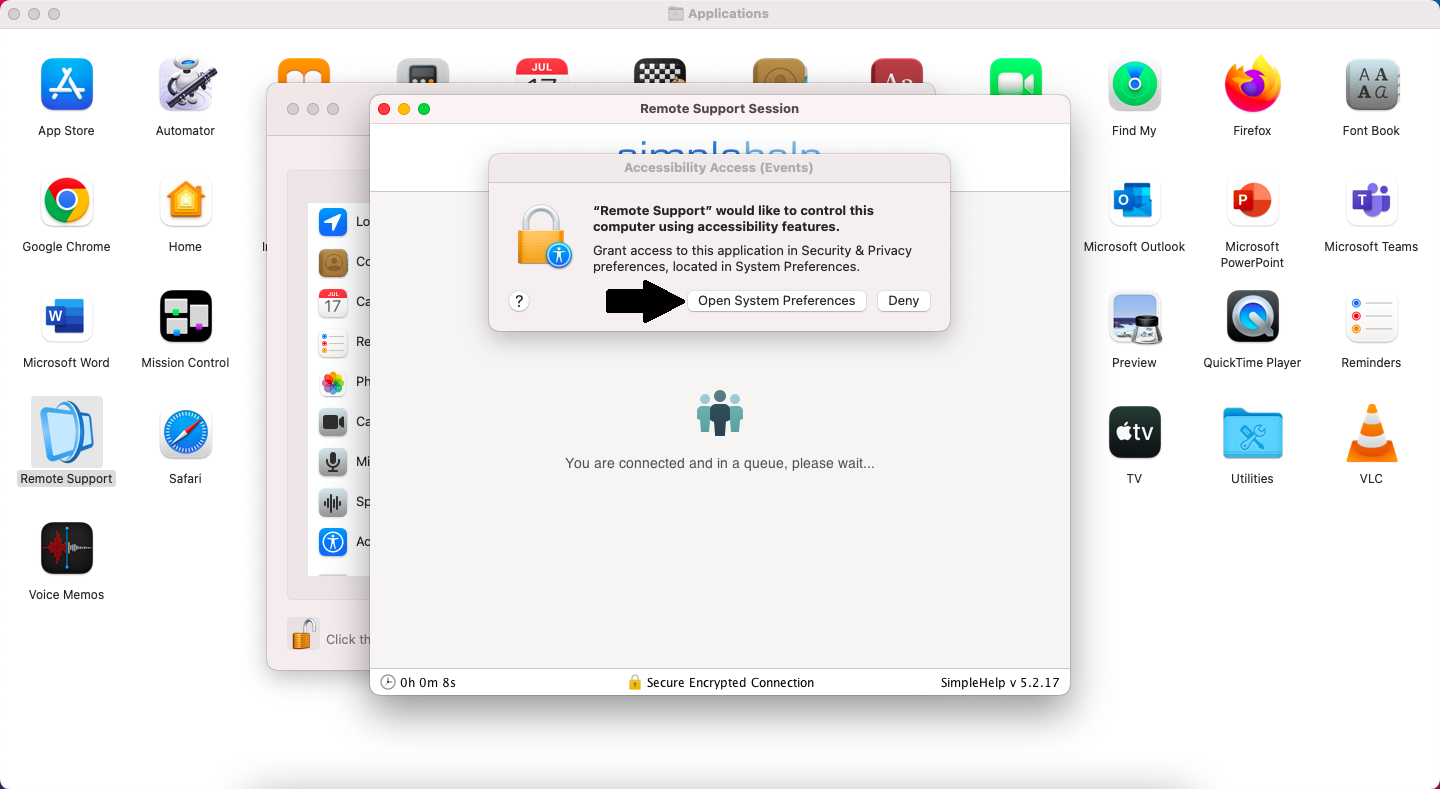
Click Open System Preferences
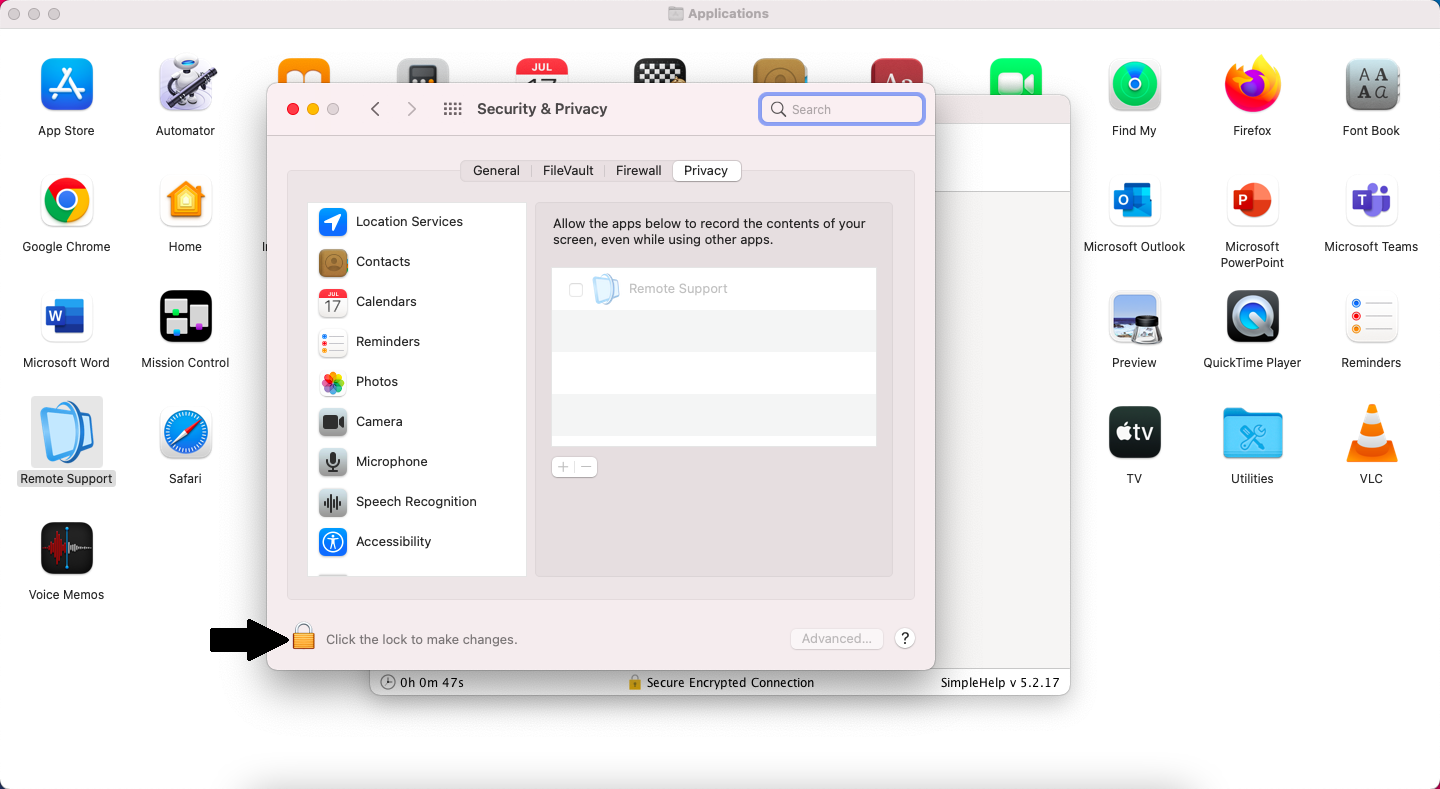
Click on the Lock in the bottom left
Type in your computer password
Click Unlock
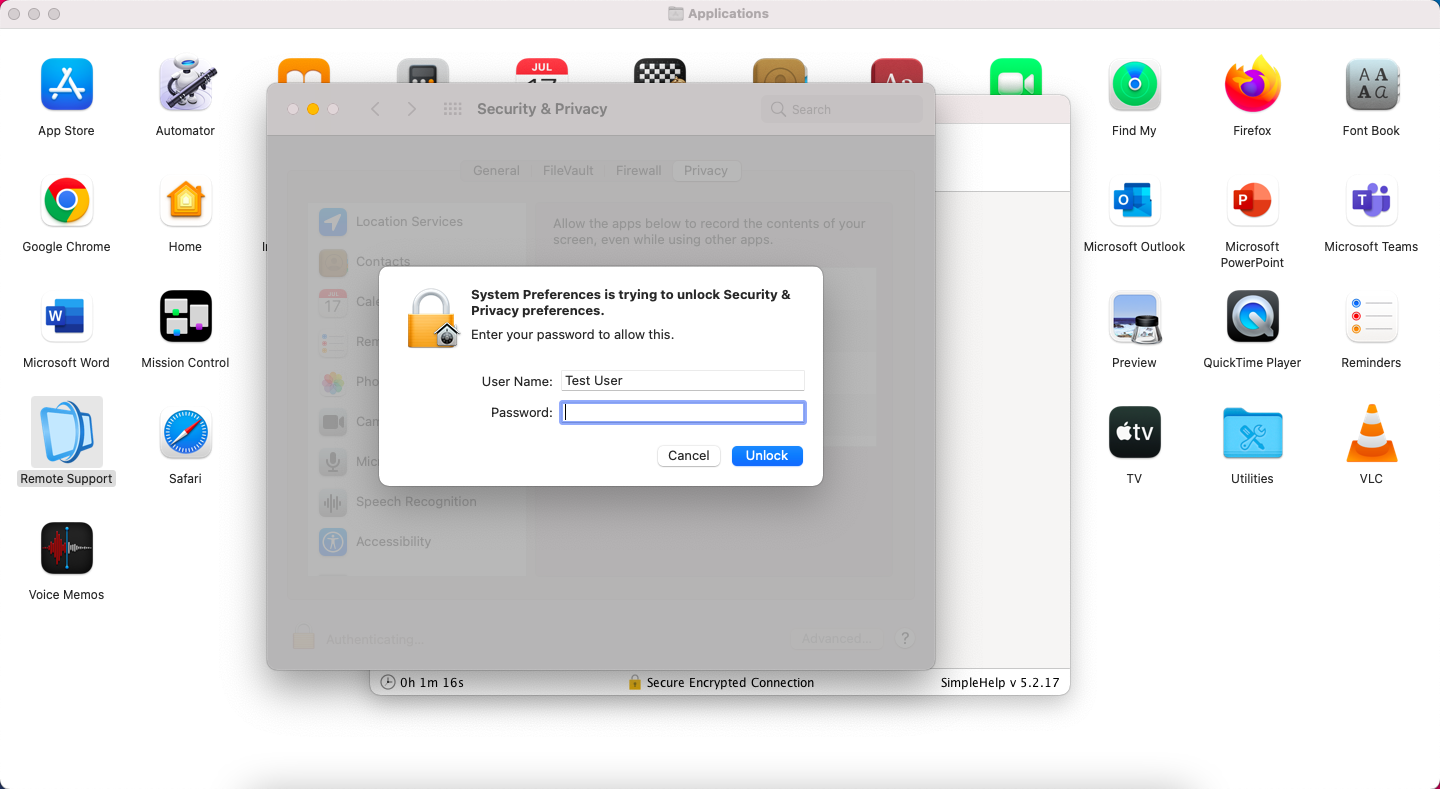
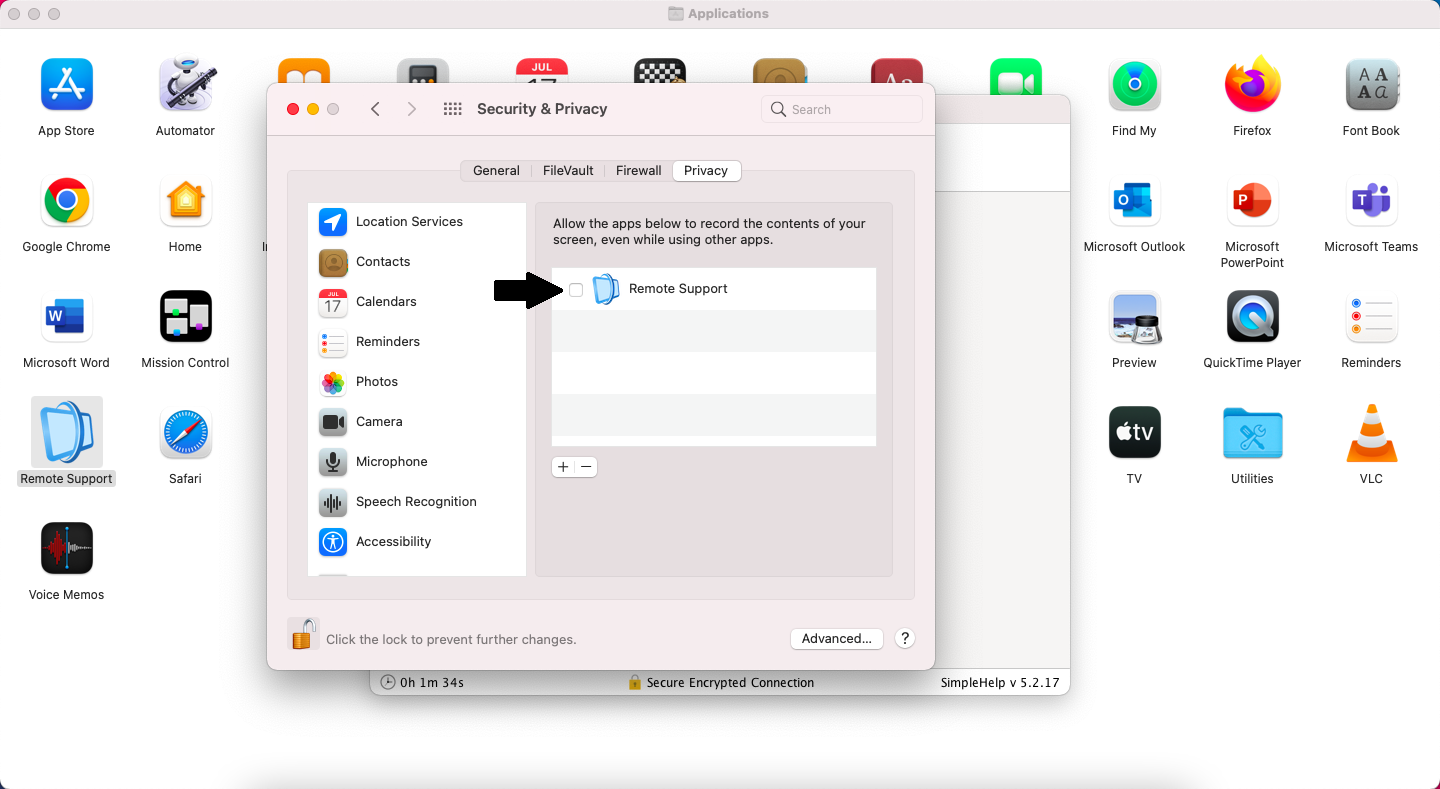
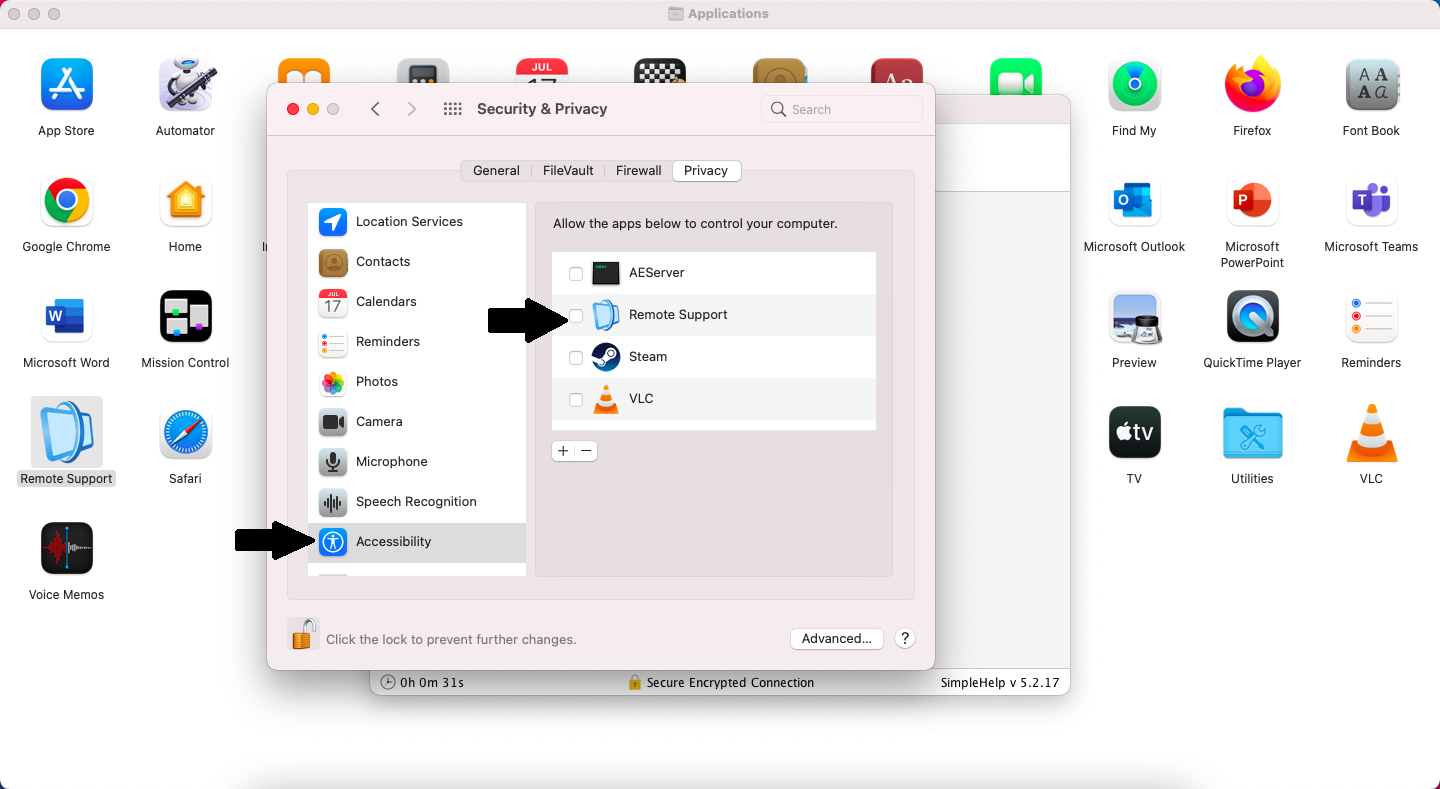
Put a check mark in for Remote Support
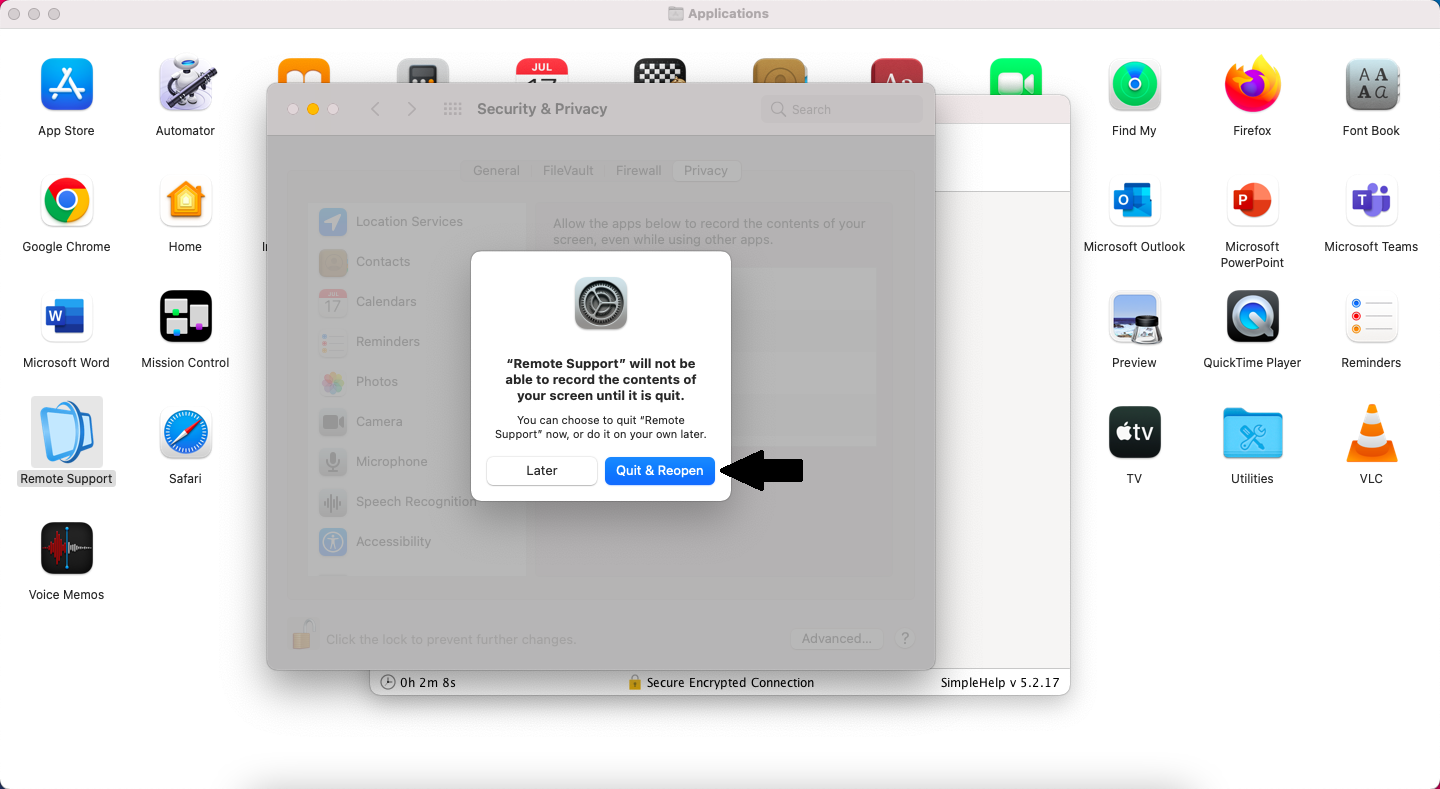
Click on Quit & Reopen
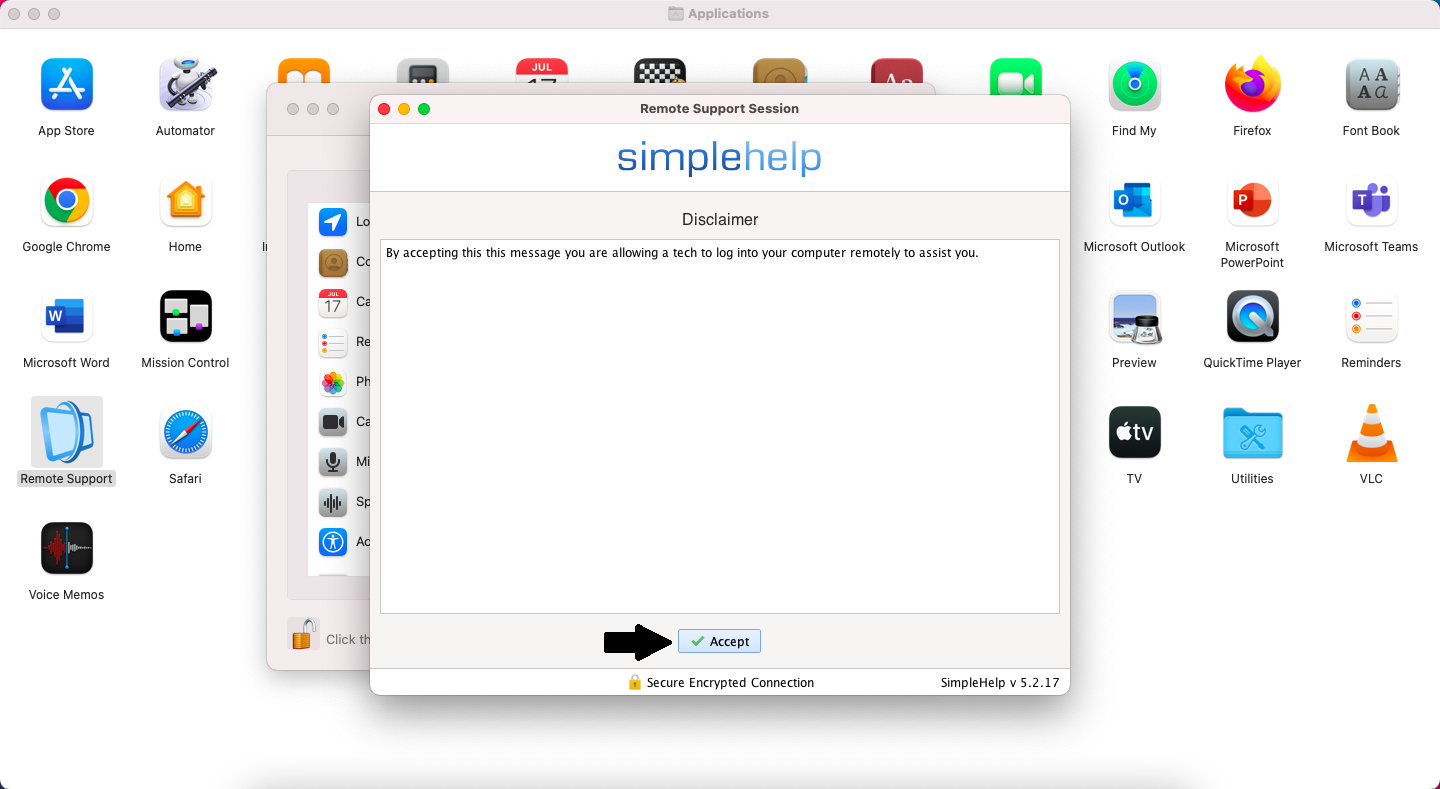
The simple help program will restart. Click on Accept
Put in your Name and click Continue. You can add Company but that is optional.
Click Open System Preferences
Put a check mark in Remote Support option under Accessibility
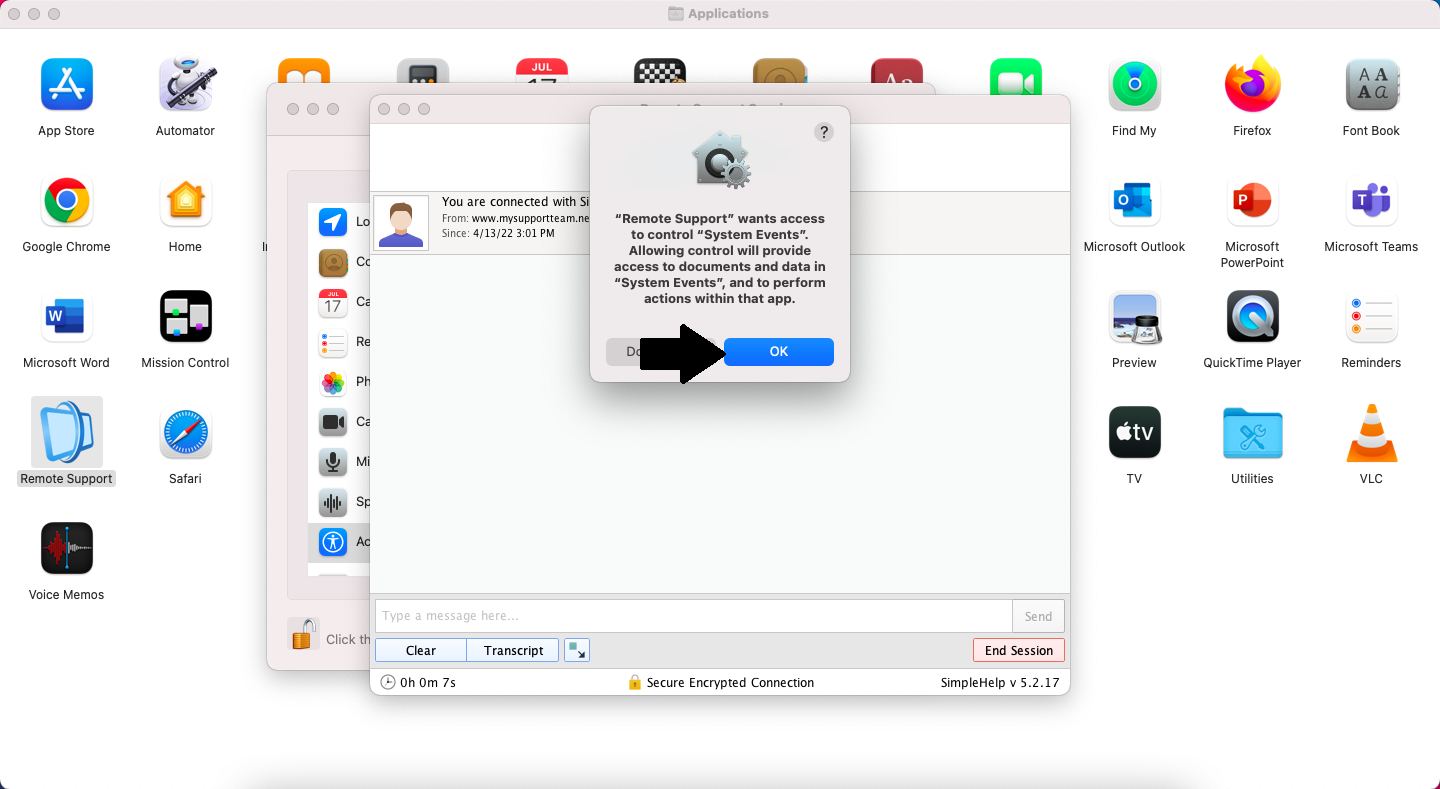
Click on OK